Shockproof MacBook Sleeve (13–16 in): Sleek Daily Protection
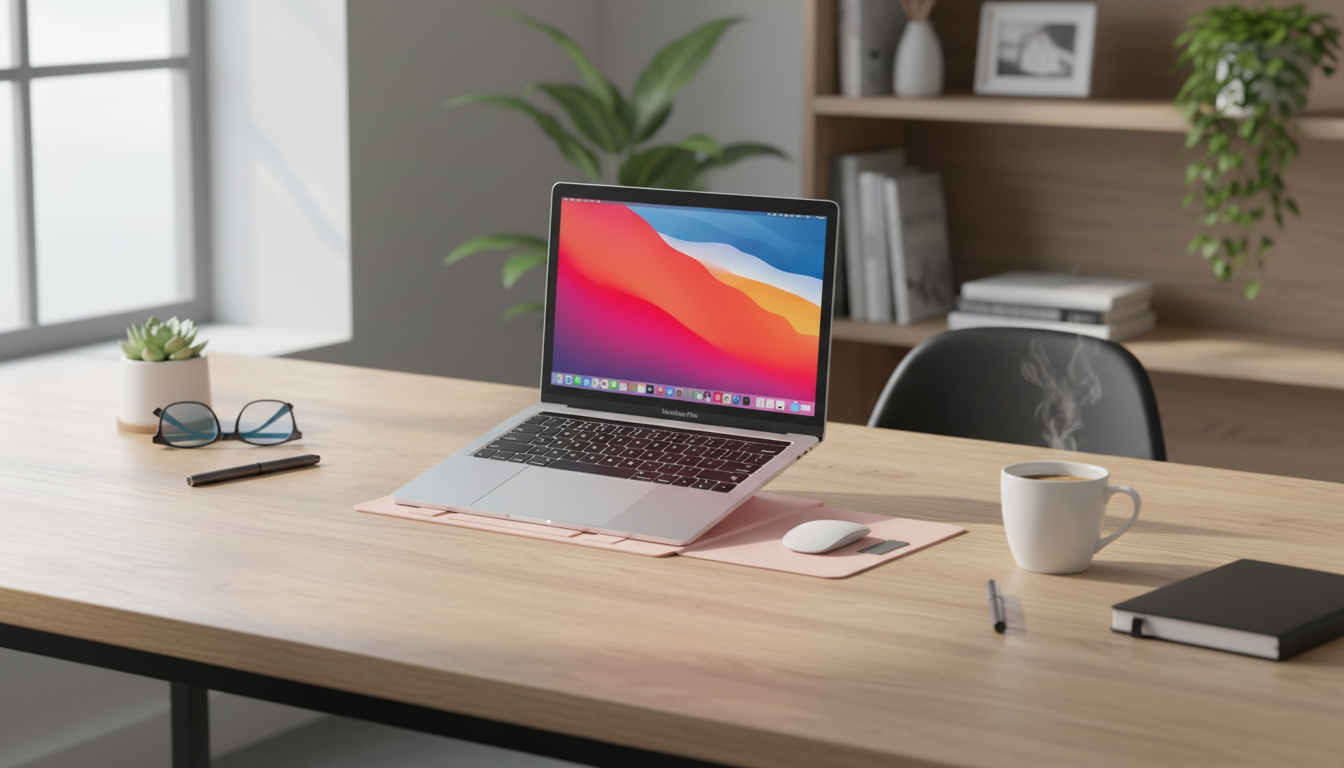
Shockproof Laptop Sleeve Case for MacBook Air/Pro 13–16 Inch – Stylish & Durable
A reliable laptop sleeve should do three things well: cushion against bumps, resist daily wear, and look good while doing it. The Shockproof Laptop Sleeve Case for MacBook Air/Pro 13–16 Inch – Stylish & Durable is built for MacBook Air and MacBook Pro models from 13 to 16 inches, combining protective padding with a clean, modern profile that’s easy to carry on its own or slip into a backpack.
What Makes a Sleeve Truly Protective
A sleeve protects best when it’s designed around real-world impact points—corners, edges, and the moments when a laptop gets jostled during a commute. Shock-absorbing construction helps soften minor drops, knocks, and bag-to-floor bumps, while structured padding reduces how much force reaches the chassis.
Look for raised edges or reinforced borders that keep corners safer—often the first contact point when a bag tips over. A secure closure also matters: it keeps the laptop from sliding out when the sleeve is carried solo or pulled quickly from a backpack. Inside, a soft lining helps prevent scuffs and micro-scratches from daily in-and-out use, especially if you travel often or work in shared spaces.
Finally, sleeves shine when you want protection without bulk. Unlike heavy cases, a sleeve focuses on safeguarding during transport while keeping weight and size manageable for everyday carry.
Style That Fits Work, School, and Travel
A laptop sleeve is one of the easiest ways to keep your setup looking polished without adding a lot of volume. A minimal, refined look fits in at the office, on campus, and at coffee shops. The streamlined silhouette also slides into a tote, messenger bag, or backpack without snagging or catching on interior seams.
For quick meetings and light days, a sleeve can double as a carry-only option—easy to grab, easy to set down, and simple to tuck under your arm. When design and durability are balanced, it’s a practical accessory that holds up to frequent, on-the-go use while still looking clean and intentional.
Everyday Durability: Materials, Stitching, and Zippers
Daily protection isn’t only about padding—it’s also about how well a sleeve holds up after months of commuting. Outer fabric should resist abrasion from backpacks, seat fabric, and constant handling. Corners and seams take the most stress, so quality stitching is essential for preventing fraying over time.
Zippers are another make-or-break detail. A smooth zipper track reduces snagging and lowers the chance of incidental contact that could scratch your laptop during entry or exit. Well-made padding should also retain its shape; if it flattens quickly, protection becomes inconsistent in the exact areas you rely on most.
For commuters, light moisture resistance is a practical bonus. It won’t replace a rain cover, but it can help with brief exposure to drizzles, splashes, or damp surfaces during travel.
Choosing the Right Size for MacBook Air and MacBook Pro (13–16 Inch)
Choosing the correct size starts with matching your sleeve to the MacBook’s screen size and chassis dimensions. Different model years can vary slightly, and that can affect how snugly the laptop fits. To confirm your exact model, Apple’s guide can help: Apple Support — Identify your MacBook model.
Quick Fit Checklist for 13–16 Inch MacBooks
| MacBook size | Fit goal | Notes to confirm before buying |
|---|---|---|
| 13 inch | Snug, easy slide-in | Confirm model year and whether a hard shell is used |
| 14 inch | Secure with light clearance | Allow room for slightly thicker Pro chassis |
| 15 inch | Stable corner protection | Check sleeve’s internal dimensions for wider footprint |
| 16 inch | Comfortable entry/exit | Ensure zipper opening and padding don’t compress the corners |
When you want to double-check dimensions against your specific device, Apple’s specification pages are a reliable reference: MacBook Air Technical Specifications and MacBook Pro Technical Specifications.
How to Use a Shockproof Sleeve for Maximum Protection
Who This Sleeve Case Works Best For
Product Snapshot
| Detail | Info |
|---|---|
| Product | Shockproof Laptop Sleeve Case for MacBook Air/Pro 13–16 Inch – Stylish & Durable |
| Price | $30.97 USD |
| Stock status | In stock |
| Use case | Commuting, school, travel, daily carry |
More In-Stock Picks for On-the-Go Routines
- Shockproof Laptop Sleeve Case for MacBook Air/Pro 13–16 Inch – Stylish & Durable — a protective, streamlined option for everyday MacBook transport.
- New Balance Men’s Green Cotton T-shirt with Pocket — an easy wardrobe staple for commutes, campus days, and casual travel.
- Feel Alive Again Checklist – Digital Download Self-Care Guide — a quick reset routine for breaks between classes, meetings, or flights.
FAQ
Will a shockproof sleeve protect a MacBook from drops?
Shock-absorbing padding can reduce impact from minor drops and bumps during transport, especially when the laptop fits snugly and corners are well-cushioned. However, no sleeve can guarantee protection from all heights or hard impacts, so careful handling and keeping heavy items away from the laptop still matter.
Does a 16-inch MacBook Pro fit in a sleeve labeled 16 inch?
Usually, but fit depends on the sleeve’s internal dimensions and the zipper opening. Match the sleeve to your MacBook’s exact model/year and allow extra room if you use a snap-on shell or keyboard cover.
Can chargers and adapters be stored in the same sleeve?
It’s safer to store chargers and adapters in a separate pocket or pouch. Hard accessories can press into the laptop and increase the risk of scratches or pressure-related damage when the bag is packed tightly.















Leave a comment