3A USB-C Cable for iPhone 15 Pro Max: Fast Charge Tips
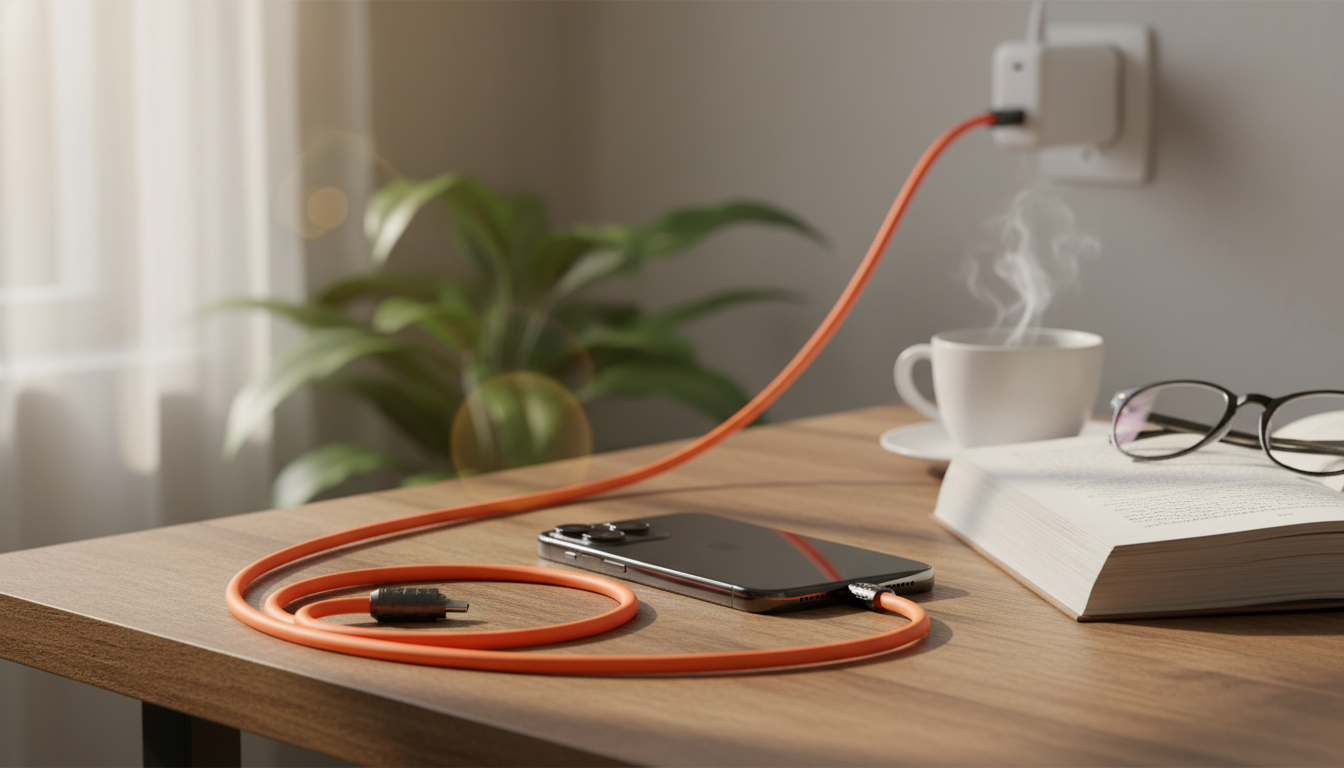
3A USB Type‑C Fast Charging Cable for iPhone 15 Pro Max: What It Does and How to Use It Well
A USB‑C charging cable for iPhone 15 Pro Max should be dependable, fast enough for daily top‑ups, and compatible with modern USB‑C power adapters. This guide breaks down what “3A fast charging” means in real use, what to check for compatibility, and how to get the best results for charging and data connections.
Quick look: what this cable is designed for
- Built for iPhone 15 Pro Max and other USB‑C devices that charge via USB‑C.
- Rated up to 3A current for fast charging when paired with a compatible USB‑C power adapter.
- Useful as an everyday replacement cable, a travel spare, or a desk cable for charging and occasional data transfer.
- Best performance depends on the wall charger’s power rating and the phone’s charging limits.
If you’ve upgraded to a USB‑C iPhone, the simplest win is consistency: one reliable cable you can keep at the bedside, at a workstation, and in a bag—so you’re not stuck borrowing unknown cables or forcing worn connectors to work.
Charging speed basics: what “3A” translates to
The “3A” rating describes how much current the cable can safely carry under the right conditions. Charging speed still depends on the whole chain: the power adapter (and its supported charging standards), the phone’s charging logic, and the charging protocol negotiated over USB‑C—commonly USB Power Delivery (USB‑PD).
In practical iPhone 15 Pro Max use, a 3A-capable USB‑C cable is often paired with USB‑C chargers in the ~18W–30W range to access fast-charging behavior (actual peak varies by device and conditions). Your iPhone may charge quickly at lower battery levels, then slow down as it approaches a higher percentage to reduce heat and protect long‑term battery health.
For background on how USB‑C charging works, Apple provides guidance on charging iPhone with USB‑C at Apple Support, and the standard itself is outlined by USB‑IF (USB Power Delivery).
What affects charging time (at a glance)
| Factor | What to expect | Simple fix |
|---|---|---|
| Power adapter wattage | Higher-watt USB‑C adapters usually charge faster until the phone’s limit | Use a reputable USB‑C PD adapter (often 20W+ for iPhone fast charging) |
| Cable condition | Fraying, loose plugs, or internal breaks can slow/interrupt charging | Swap to a new cable if charging is intermittent |
| Device temperature | Warm phones may throttle charging | Remove thick cases, avoid charging in hot environments |
| Port cleanliness | Debris can prevent solid contact | Gently clean the USB‑C port (dry, non-metal tools) |
Compatibility checklist for iPhone 15 Pro Max
- Connector type: iPhone 15 Pro Max uses USB‑C; this cable matches that port.
- Charger compatibility: works with USB‑C wall chargers, power banks, car chargers, and USB‑C laptop ports.
- Fast-charge compatibility: fastest results typically require a USB‑C PD charger; basic USB‑A to USB‑C charging may be slower depending on the adapter.
- Data use: some USB‑C cables prioritize charging; if you frequently move large files, confirm the cable’s data specification is a fit for your workflow.
If you want to confirm what your iPhone supports overall, Apple’s official device listing is a helpful reference: iPhone 15 Pro technical specifications.
How to use it for dependable everyday charging
- At home: pair the cable with a quality USB‑C PD wall adapter for consistent fast charging. If your charging spot is a nightstand, leave enough slack so the cable doesn’t get yanked by accident.
- At work: a dedicated desk cable reduces wear on your “main” cable and avoids unplugging/replugging several times a day. If you dock to a USB‑C monitor or laptop, plug directly into a stable port.
- For travel: keep a spare cable in your bag with a compact USB‑C charger or a USB‑C power bank. It’s a simple way to avoid questionable public USB ports.
- In the car: use a USB‑C car adapter that supports PD (or reputable fast-charge profiles) so navigation and streaming don’t slowly drain your battery.
One of the biggest day-to-day improvements comes from strain reduction: avoid tight bends near either connector. The first inch or two behind the plug is where many cables fail earliest, especially when constantly bent at sharp angles.
Durability and safety habits that protect the cable and the phone
When a replacement cable is the right fix
Product options (in stock)
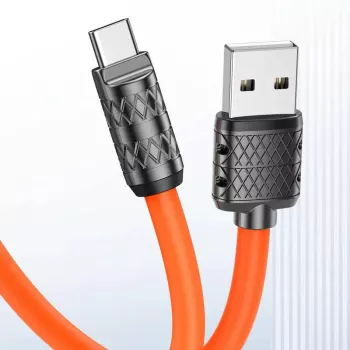
- 3A USB Type C Fast Charging Cable for Apple iPhone 15 Pro Max — a simple replacement/backup cable to pair with a USB‑C PD charger for faster charging behavior.
- Feel Alive Again Checklist – Digital Download Self-Care Guide — a quick, offline-friendly reset for breaks and travel downtime.
- New Balance Men’s Green Cotton T-shirt with Pocket — an easy travel basic for a spare layer or gym bag.
At-a-glance details
| Item | Details |
|---|---|
| Product | 3A USB Type C Fast Charging Cable for Apple iPhone 15 Pro Max |
| Price | 2.17 USD |
| Availability | In stock |
| Stock | 1183 |
FAQ
Will a 3A USB‑C cable fast charge an iPhone 15 Pro Max?
Yes—when paired with a compatible USB‑C PD charger. The iPhone and charger negotiate power, and the phone adjusts intake based on battery level and temperature.
Does the cable affect charging speed if the power adapter is the same?
It can. A worn or low-quality cable may cause voltage drop, heat, or charging interruptions, while a properly rated 3A cable is better positioned to carry the requested current reliably.
Why does charging slow down after the battery reaches a higher percentage?
That slowdown is typically normal. iPhones taper charging at higher levels to reduce heat and protect battery health, and heavy background activity or warm conditions can slow it further.















Leave a comment