XLR Cardioid Dynamic Mic Setup for Streaming & Studio
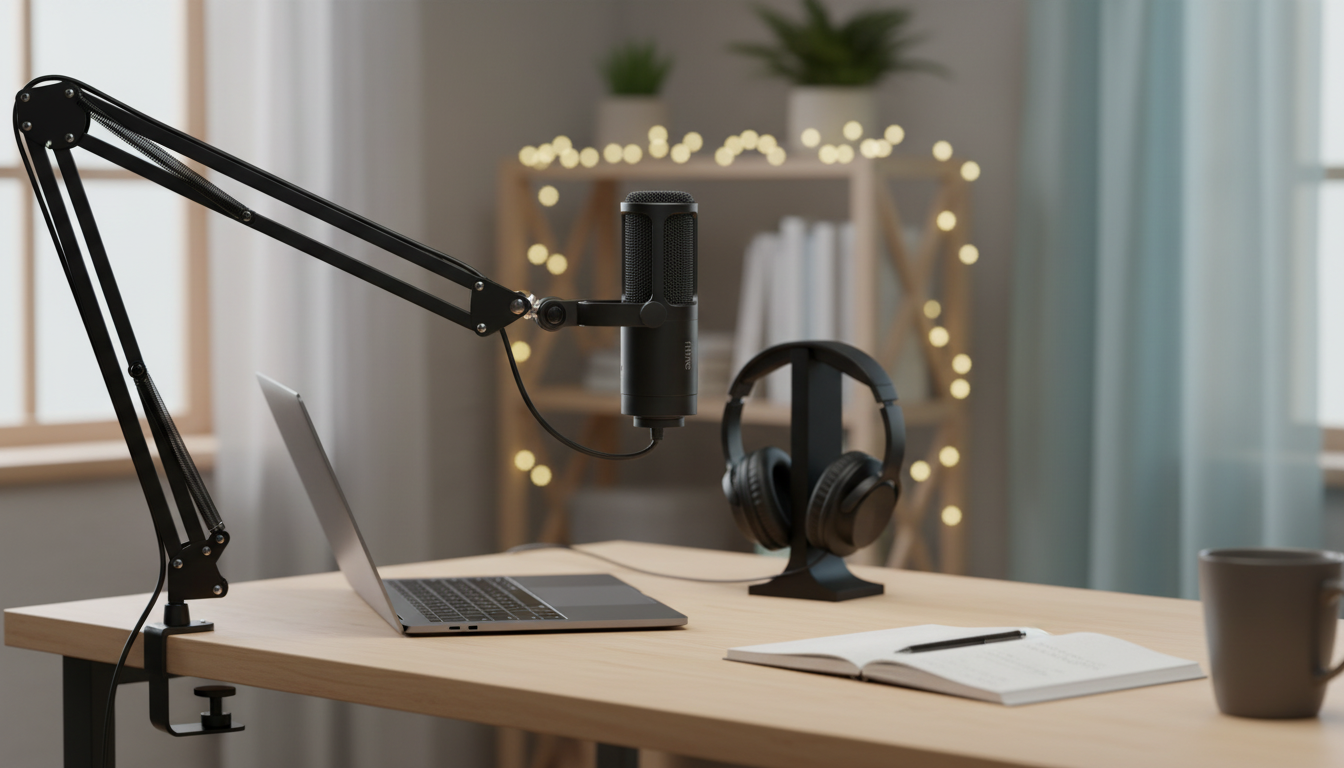
Professional XLR Dynamic Microphone with Cardioid Pickup for Studio & Streaming
A dynamic XLR microphone with a cardioid pickup pattern is a practical upgrade for streamers, podcasters, and home-studio creators who want clearer voice capture, better rejection of room noise, and dependable performance in untreated spaces. The right approach to placement and gain can deliver a noticeably more “broadcast” sound—without relying on aggressive noise reduction that can make speech feel choppy or artificial. For more guidance, see A Guide to Choosing the Best Microphone for Live Streaming.
Who This Microphone Fits Best
- Streamers who need voice-forward audio while reducing keyboard, PC fan, and room reflections.
- Podcasters recording in bedrooms or shared spaces where a dynamic mic can be more forgiving than a sensitive condenser.
- Creators using an audio interface or mixer and wanting consistent gain staging and monitoring.
- Gamers and remote workers who want clearer speech with fewer background distractions.
What “Dynamic + Cardioid + XLR” Means in Everyday Use
- Dynamic capsule: typically handles louder sources well and can reduce the audibility of distant room noise compared with many condensers.
- Cardioid pickup: focuses on sound from the front while rejecting more sound from the rear, helping keep your voice dominant.
- XLR connection: runs through an audio interface or mixer, enabling cleaner preamps, hardware controls, and easier upgrades over time.
- Closer mic technique matters: best results often come from speaking 2–6 inches away with steady positioning.
If you’re coming from a built-in laptop mic or a far-away desktop mic, the biggest “wow” factor usually comes from getting the microphone close and consistent. A cardioid dynamic mic rewards that approach by prioritizing your voice while downplaying the room. For further reading, see Microphone for recording sessions – advice wanted.
Sound Character and Voice Clarity
- Voice intelligibility improves when the mic is placed slightly off-axis (angled 10–30°) to reduce plosives while maintaining presence.
- Cardioid rejection helps keep side noise lower, but placement is still key—aim the front of the mic at the mouth, and aim the rear toward the noisiest source.
- Proximity effect: moving closer can add warmth and low-end weight; backing off can sound more natural but may introduce more room tone.
- A pop filter or windscreen can reduce “p” and “b” bursts; a shock mount can reduce desk vibration.
For a clean, controlled tone, start with the mic slightly to the side of your mouth (think “corner of the mouth” rather than “straight-on”). This small adjustment often reduces breath blasts without forcing you to EQ away the clarity you want for streaming or spoken-word recording.
Studio and Streaming Setup Checklist
- Audio interface or mixer required for XLR: connect with a balanced XLR cable, then set input gain so normal speech peaks around -12 dB to -6 dB in your software.
- Headphone monitoring: use direct monitoring if available to avoid distracting latency while speaking live.
- Noise control basics: position the mic away from reflective walls, and keep the rear of the mic facing the loudest unwanted sound (PC, AC vent).
- Software chain for streaming: gentle high-pass filter (around 70–100 Hz), light compression, and a noise gate only if needed (avoid cutting words).
Quick Setup Targets for Voice Streaming
| Setting | Starting Point | What to Listen For |
|---|---|---|
| Distance to mouth | 2–6 inches | Full voice with minimal room sound |
| Mic angle | Slightly off-axis | Fewer plosives without dullness |
| Peak level in software | -12 dB to -6 dB | No clipping on loud words |
| High-pass filter | 70–100 Hz | Less rumble without thinning the voice |
| Compression | 2:1 to 4:1 light compression | More even loudness without pumping |
Placement Tips That Make the Biggest Difference
- Use a boom arm when possible so the mic can sit close without blocking your screen and to reduce desk-borne noise.
- Keep the mic’s front aimed at the corner of the mouth rather than directly centered to reduce breath noise.
- If keyboard noise is a problem, position the keyboard slightly to the side and keep the mic closer to your mouth than to the keyboard.
- Treat “problem reflections” before buying more gear: a thick blanket behind the mic or soft furnishings can reduce harshness.
Build, Durability, and Day-to-Day Handling
Dynamic XLR vs USB and Condenser Alternatives
For additional guidance on pickup patterns and placement fundamentals, see Shure’s microphone techniques. For broader professional audio resources and standards, the Audio Engineering Society (AES) is a reputable reference point.
Product Pick: Professional XLR Dynamic Microphone with Cardioid Pickup
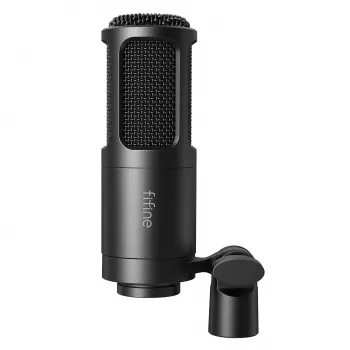
If you’re aiming for a controlled, voice-forward sound for streaming, voice chat, or spoken-word production, the Professional XLR Dynamic Microphone with Cardioid Pickup for Studio & Streaming is built around the core features that matter most: a dynamic capsule, cardioid directionality, and an XLR connection for flexible routing through an interface or mixer.
More In-Stock Picks
- Professional XLR Dynamic Microphone with Cardioid Pickup for Studio & Streaming
- Soulful Success Checklist: Your Step-by-Step Guide to Spiritual Goals (Digital Download)
FAQ
Do XLR dynamic microphones work for streaming on a laptop?
Yes. Use an audio interface or mixer connected to the laptop via USB, connect the microphone to the interface with an XLR cable, then select the interface as the audio input in your streaming or recording software.
Will a cardioid dynamic mic reduce keyboard and room noise?
It can help by rejecting more sound from the rear and by encouraging close-mic technique. The biggest improvements usually come from keeping the mic close to your mouth, aiming the rear at the loudest noise source, and managing reflections in the room.
Do you need phantom power for a dynamic XLR microphone?
Typically no. Most dynamic microphones do not require phantom power, and many won’t be harmed if it’s accidentally enabled on a standard balanced connection, but it’s still best practice to turn phantom power off unless you need it for another device.













Leave a comment