Magnetic Foldable iPhone Stand + Detachable Webcam Mount
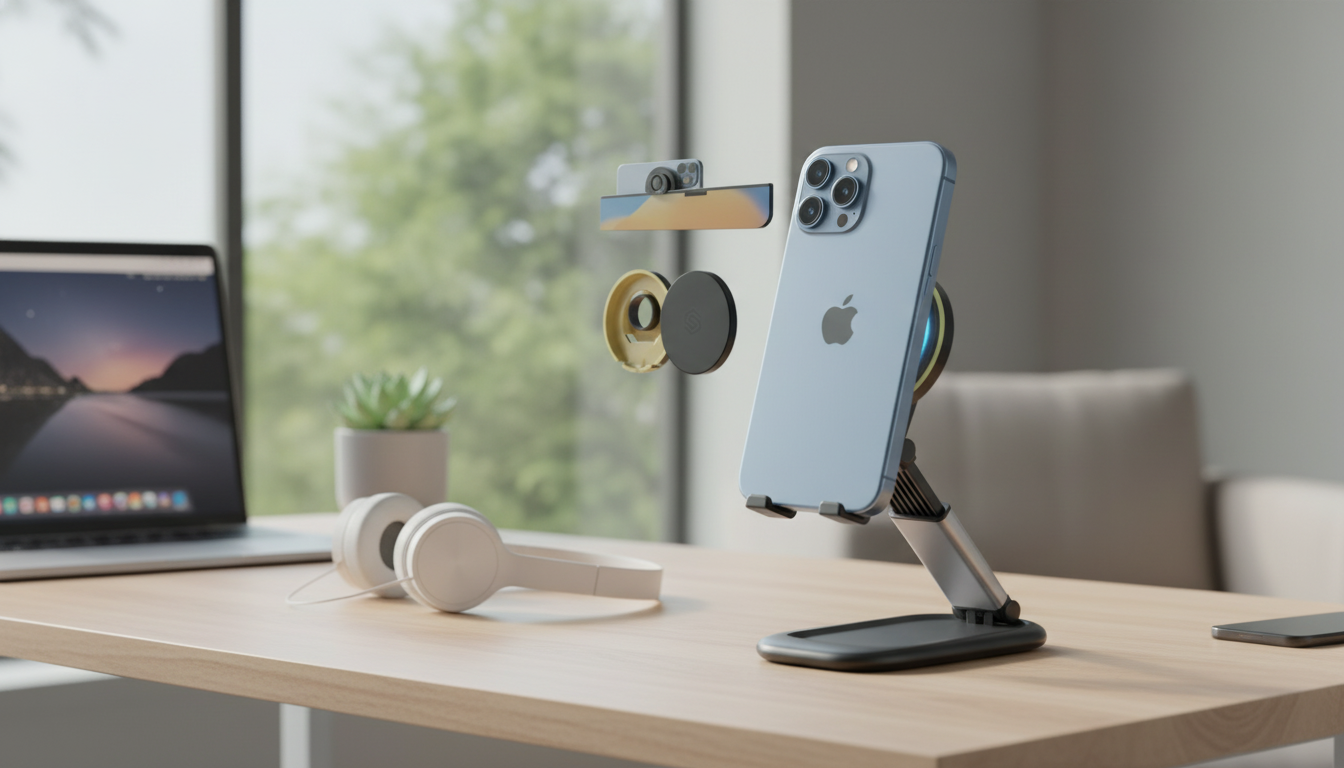
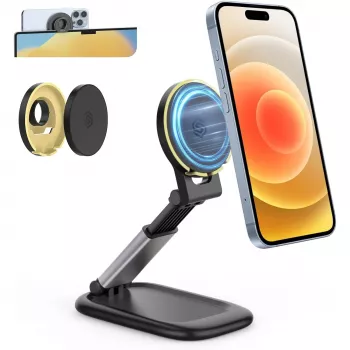
Magnetic Foldable Phone Stand with Detachable Webcam Mount for iPhone
A compact stand can make everyday calls, desk work, and travel setup feel effortless—especially when it snaps into place, folds flat, and adds a detachable webcam-style mount option. If an iPhone is doing double duty for FaceTime, meetings, workouts, recipes, and streaming, a magnetic foldable stand helps keep the screen stable and the camera framing consistent without improvising stacks of books or balancing against a mug.
For a simple, portable upgrade to a desk or travel kit, consider the Magnetic Foldable Phone Stand with Detachable Webcam Mount for iPhone.
What This Stand Helps With Day to Day
Small accessories tend to earn their place when they remove friction from routines. A magnetic foldable phone stand is built for quick transitions—set it up for a call, fold it down after, and keep your workspace clear.
- Keeps an iPhone upright for video calls, FaceTime, or meetings without hand fatigue
- Creates a consistent camera height for more flattering framing during calls
- Supports hands-free viewing for recipes, streaming, workouts, and timers
- Folds down for bags, drawers, and travel kits, reducing desk clutter
- Detachable webcam mount enables flexible positioning for conferencing-style setups
If your day includes frequent screen time, pairing a dependable desk setup with a simple reset routine can also help. A digital option like the Feel Alive Again Checklist – Digital Download Self-Care Guide fits nicely alongside a work-from-anywhere toolkit.
Magnetic Attachment and iPhone Compatibility
Magnetic attachment is all about alignment and contact. iPhones that support MagSafe-style magnetic placement (or phones using a compatible magnetic case/ring) usually get the most reliable “snap” and the least fiddling when mounting and unmounting.
For official background on how MagSafe works, Apple’s resources are helpful: Apple Support: About MagSafe for iPhone and Apple: MagSafe accessories.
Compatibility and Setup Tips
| Situation | What to Do | Why It Helps |
|---|---|---|
| iPhone with MagSafe-compatible case | Attach directly to the magnetic face of the stand | Strongest hold and easiest alignment |
| iPhone with non-magnetic case | Switch to a MagSafe-compatible case or add a magnetic ring | Improves stability and reduces slipping |
| Bare iPhone (MagSafe model) | Attach directly; avoid debris on surfaces | Maintains full magnetic strength |
| Thick case + accessories | Remove extra layers or use a thinner case | Prevents weak attachment and wobble |
Quick magnetic best practices
- Keep the contact surfaces clean—skin oils and dust reduce grip and increase sliding.
- Avoid stacking thick accessories between the phone and the magnet; even a few extra millimeters can noticeably weaken the hold.
- When attaching, let the magnet “find” the center; forcing an off-center placement can make the phone feel slightly tilted or less secure.
Foldable Design: Portability Without Giving Up Stability
The biggest advantage of a fold-flat stand is consistency: it’s easy to pack, so it’s more likely to be used. That matters for comfort and posture—because the best ergonomic setup is the one that actually happens day after day.
- Fold-flat form factor makes it easy to pack for commuting, hotels, and coworking spaces
- A stable base reduces micro-shakes during typing or desk bumps
- Quick open/close routine encourages consistent ergonomic use rather than improvised stacking
- Ideal as a “leave it on the desk” accessory that still travels well when needed
For remote-work comfort, even small add-ons can make long sessions more pleasant. Something as simple as a comfortable shirt for all-day wear—like the New Balance Men’s Green Cotton T-shirt with Pocket—can round out a practical home-office baseline.
Detachable Webcam Mount: Cleaner Camera Framing
A phone camera positioned too low tends to create an unflattering “downward angle” and makes eye contact feel off, especially when a monitor is involved. The detachable webcam-style mount option is designed to reduce that mismatch by giving more freedom to position the phone where your face naturally is—closer to eye level.
- Helps place the camera closer to eye level for more natural on-screen presence
- Makes it easier to keep the phone centered and level when presenting or screen sharing from another device
- Detachable design supports switching between quick phone-stand mode and meeting-ready mode
- Useful for desk setups where a monitor height can otherwise force downward camera angles
For conferencing-style setups, the simplest win is placing the phone near the top edge of a monitor (or as close to that height as your workspace allows) so your gaze stays closer to the camera while you reference notes on-screen.
Best Angles and Positions for Common Scenarios
Stable doesn’t automatically mean comfortable. A few small adjustments can improve readability, reduce neck strain, and keep calls looking more natural.
Care, Safety, and Small Setup Fixes
Who This Stand Is a Good Fit For
FAQ
Will it work if my iPhone case is not MagSafe-compatible?
It can work, but the magnetic hold is usually strongest with MagSafe-compatible cases. For better stability and easier alignment, switching to a MagSafe-compatible case or adding a magnetic ring adapter helps, and very thick cases can reduce the hold.
Can the phone stay attached while adjusting the angle?
Yes—typically you can adjust the angle while the phone is attached, as long as you do it gently and support the phone. If the alignment shifts, simply lift and re-seat the phone, and make sure the stand is fully opened on a flat surface.
Is the detachable webcam mount useful for video meetings?
Yes, it’s useful for raising the camera closer to eye level and keeping framing consistent from call to call. Positioning the phone near monitor height can also create a more natural gaze line during meetings.















Leave a comment