Portable Mini Bluetooth Keyboard for iPad, iPhone & Tablets
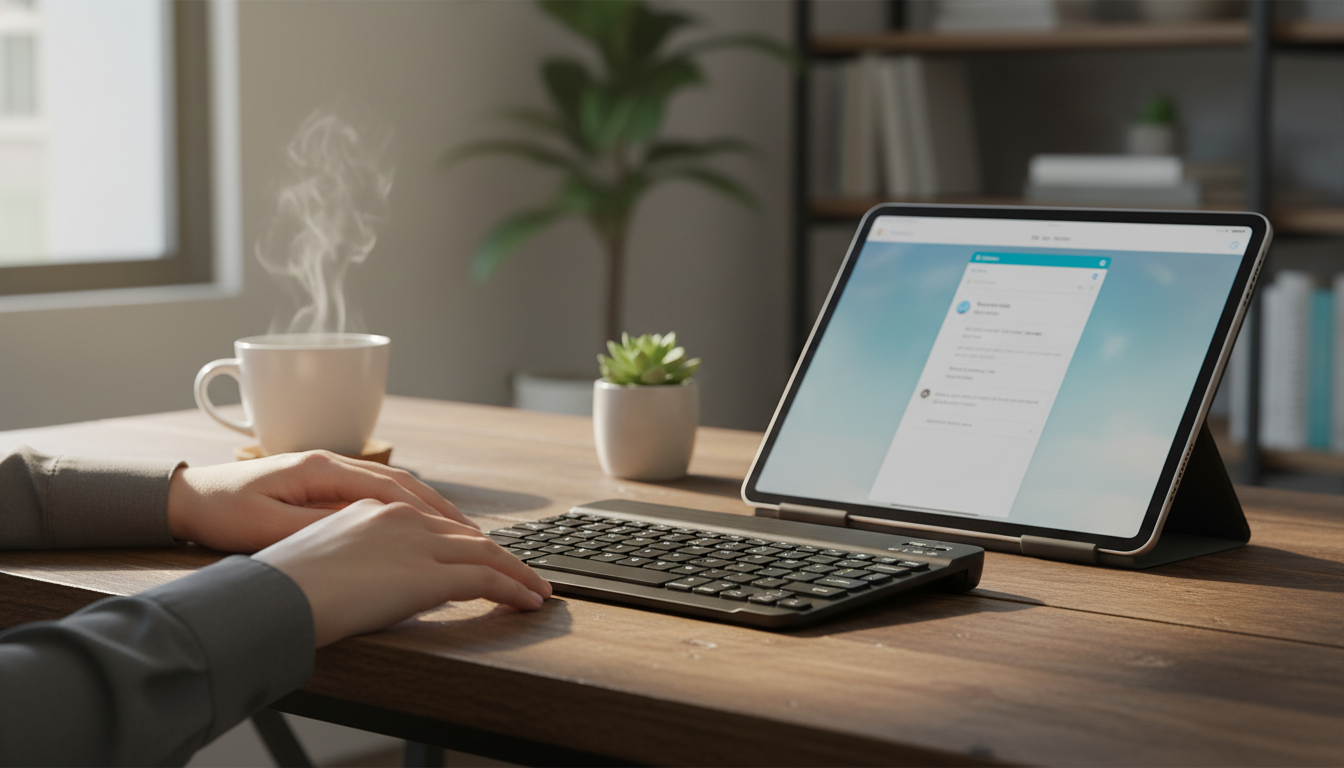
Portable Bluetooth Mini Keyboard for Apple Devices and Tablets
Typing long notes, emails, and documents on a touchscreen can slow down work and strain hands. A compact Bluetooth keyboard pairs quickly with Apple devices and tablets, adds real keys for faster input, and slips easily into a bag for travel, school, or commuting. For iPad and iPhone users who want a lighter setup than a full keyboard case, a mini wireless keyboard is a simple way to get more done from anywhere. For more guidance, see Best Keyboards For IPad 10th Generation: Top Picks & Reviews – Cs.
What a mini Bluetooth keyboard changes day to day
A small external keyboard can make a tablet feel more like a laptop—without locking you into a single case or stand. Instead of reaching across the screen for every edit, you can keep your hands in a steady typing position and move through text with familiar key combinations. For further reading, see Review: Epomaker GK68XS Bluetooth mechanical keyboard.
- Faster typing for emails, messages, and documents compared with on-screen keyboards, especially when you need numbers, punctuation, or frequent corrections.
- Better posture options by separating the screen from the keyboard on a desk, café table, or tray table—helpful when you want the screen higher and closer to eye level.
- More precise shortcuts for editing, selecting text, and navigating apps that support external keyboards (many iPadOS apps do).
- Less screen obstruction on smaller iPads and tablets because the on-screen keyboard can stay hidden while you type.
Compatibility with Apple devices and tablets
Most mini Bluetooth keyboards connect using the standard Bluetooth keyboard profile, which is why they work across many devices. On Apple devices, pairing is typically quick: open Settings → Bluetooth, switch Bluetooth on, and select the keyboard when it appears. Apple also maintains guidance for using external keyboards with iPhone and iPad through Apple Support.
- Pairs over Bluetooth with iPad and iPhone through Settings → Bluetooth, then select the keyboard when it appears.
- Works best with iPadOS and iOS features like text navigation, predictive input, and app-specific shortcuts (availability varies by app).
- Also suitable for many Bluetooth-enabled tablets beyond Apple, as long as the device supports external Bluetooth keyboards.
- Before buying, confirm the tablet supports Bluetooth HID keyboard input and check any language/layout needs. If you’re curious about the standards behind Bluetooth connections, the Bluetooth SIG specifications are a helpful reference.
Quick compatibility checklist
| Check | Why it matters | What to look for |
|---|---|---|
| Bluetooth enabled | Required for wireless pairing | Bluetooth toggled on in device settings |
| Keyboard input support | Ensures keys register correctly | Tablet supports external Bluetooth keyboards (HID) |
| Layout preference | Improves comfort and speed | Preferred key layout and language |
| Use case | Determines size and feel priorities | Travel, school notes, email-heavy work, or light editing |
Comfort and typing feel in a smaller form
Portability is the main reason to choose a mini keyboard, but it comes with a different typing feel than a full-size board. Keys may be slightly narrower, spacing can be tighter, and key travel may feel shallower. That doesn’t make it “worse”—it simply means comfort depends on how you plan to use it.
- Mini keyboards prioritize portability, so key spacing and travel may feel tighter than a full-size keyboard.
- For frequent writing, consider how often typing sessions exceed 20–30 minutes and whether a slightly larger keyboard would be more comfortable.
- For short bursts (messages, quick edits, captions), a smaller footprint is usually the better tradeoff.
- Use a stable surface to improve accuracy; for lap typing, a rigid case or lap desk can help reduce wobble.
Pairing, reconnecting, and everyday use tips
Bluetooth is convenient, but reliability improves when you follow a few simple habits. The first pairing is usually the only time you need to do anything manual; after that, most keyboards reconnect when they’re on and nearby.
- First-time pairing: turn on the keyboard, open Bluetooth settings, and tap the keyboard name to connect.
- Reconnecting: most Bluetooth keyboards reconnect automatically when powered on and in range; if not, toggle Bluetooth off/on or remove and re-pair.
- Stay within range: keep the keyboard within a typical room range and minimize obstacles for more consistent connectivity.
- Reduce lag: if typing lags, close heavy background apps, move closer, and ensure the tablet battery isn’t in an extreme power-saving mode.
Portable Bluetooth Mini Keyboard for Apple Devices and Tablets: quick overview
At-a-glance
| Feature | What it means for use |
|---|---|
| Portable mini form | Easier to carry; best for short to medium typing sessions |
| Bluetooth wireless | Pairs with iPad/iPhone/tablets without cables |
| Standalone keyboard | Works alongside any case/stand; flexible setup |
| Value price point | Low-cost way to improve typing speed vs touchscreen |
Who it’s best for
Care, storage, and longevity
Available now
For a simple, packable way to type faster on iPad, iPhone, and many Bluetooth-enabled tablets, see Portable Bluetooth Mini Keyboard for Apple Devices and Tablets.
For a lightweight companion item that travels well, consider Feel Alive Again Checklist – Digital Download Self-Care Guide, Mindfulness eBook, Daily Wellness Routine, Mental Health Checklist, Quick Reset Practices.
FAQ
Will a Bluetooth keyboard work with an iPad and iPhone?
Yes, most Bluetooth keyboards pair through Bluetooth settings on iPad and iPhone. Confirm the device supports external Bluetooth keyboards and follow the pairing steps in Settings → Bluetooth.
Why won’t the keyboard reconnect automatically?
Try turning the keyboard off and back on, toggling Bluetooth on the device, and moving closer to reduce interference. If it still won’t reconnect, remove the keyboard from Bluetooth settings and pair again.
Is a mini keyboard comfortable for long typing sessions?
Mini keyboards are built for portability, so they can feel tighter than full-size options. They’re usually best for short to medium sessions; for longer writing, use a stable surface and position the screen and keyboard to reduce strain.















Leave a comment